Colour me a Rainbow! How pics should and shouldn't look
Fran Castens / 6 September 2016
🎨 How to Get Your Photo Colours Perfect for Print
We’ve all been there – photos that are just a bit too real to print! Today’s high-definition cameras capture every detail, blemishes and all. But a photo that looks perfect on screen can sometimes disappoint in print. Let’s explore what can go wrong and the pro tricks you can use to make your prints look fantastic.
🖌 Common Colour Problems
☀️ White Balance
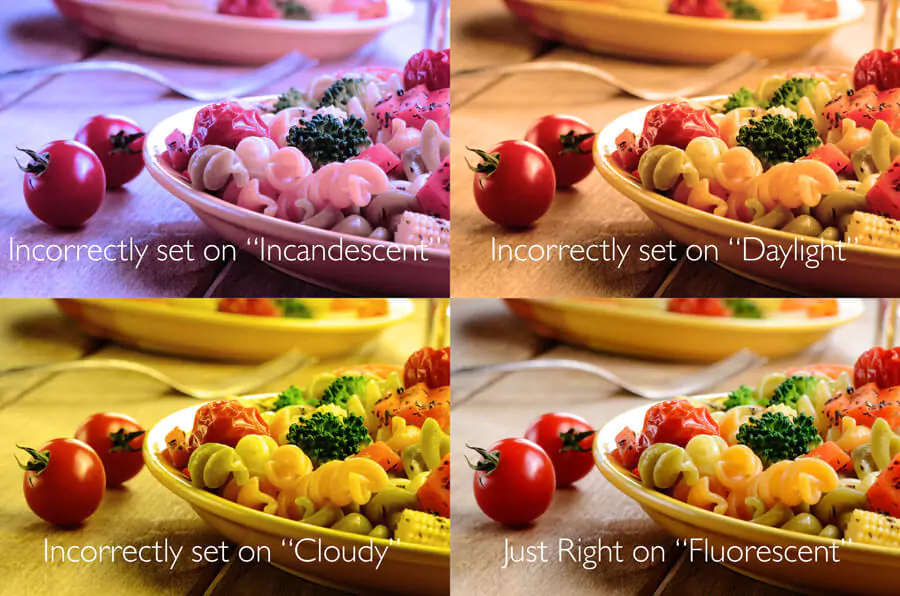
Ever had photos that turned out too yellow, orange or blue? That’s a white balance issue.
📸 Pro Tip: Choose the correct white balance setting for the light conditions you’re in. Most cameras have pre-sets like: cloudy, sunny, or incandescent. Get comfortable experimenting and learning when to use each.
🎇 Blow Out
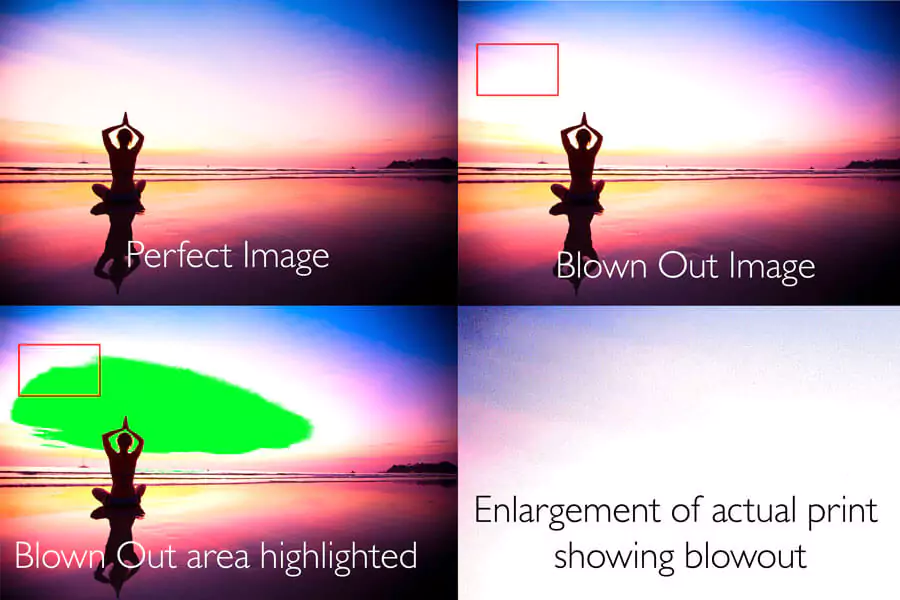
Patches of pure white (100% white) won’t print. Instead, they’ll show up as naked white space, which can ruin the look of a photo.
🛠 Fix It: Use photo-editing tools to ensure there’s always some colour in your highlights.
🧑 Skin Tone
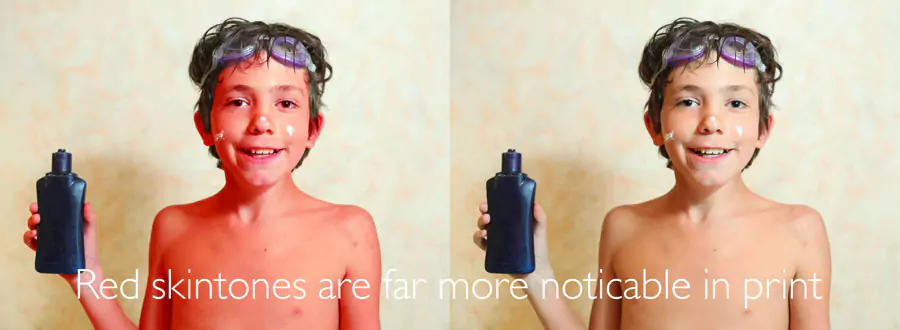
Skin tones are notoriously tricky. Without the right lighting, people might look too dark, pale, or red. Editing helps balance this.
💻 Monitor Variation
Did you know your screen might be lying to you? Monitors are backlit, making photos look brighter and more saturated than they will appear in print.
🔍 Pro Insight: Photos almost always print darker than what you see on screen.
- View your images on multiple devices (monitors, phones, cameras).
- Remember: higher-end cameras often have more accurate onboard screens for previews.
🛠 Four Pro Tricks to Prepare Photos for Printing
- 🎯 Avoid Blow Out: Keep highlights under control.
- 🖥 Fix White Balance and Skin Tone: Use editing software like Photoshop or Snapseed to tweak and perfect your images.
- 🌈 Use RGB, Not CMYK: Always save your photos in RGB colour mode for printing.
- 🔍 Monitor Your Monitors: Adjust for brightness and colour saturation. What looks good on-screen may need to be lightened before printing.
🎨 Why Choose RapidStudio?
At RapidStudio, we use cutting-edge technology to map colours with accuracy. Whether you’re creating a photobook, printing canvas print, or ordering photo prints, you can trust us to deliver perfect, vibrant results.
Get in touch with RapidStudio and let’s make your prints shine!